

Add a Hyperliquid trading account
When you are done, Mishmar knows your Hyperliquid master account: the address you trade from on Hyperliquid. Mishmar reads the account’s margin, positions and fills by that address, which takes no key, so nothing you enter here can place an order or move funds.
Trading comes next, one agent at a time: each agent gets its own API wallet on this account, split between the agent’s signer and Mishmar, and your master wallet approves it. Add an agent on Hyperliquid has the steps.
Mishmar’s alpha trades on Hyperliquid testnet. The console sets the network from the Mishmar it is connected to: testnet here, mainnet on a live Mishmar. You don’t choose it.
It takes about two minutes.
What you need
Section titled “What you need”- Your Hyperliquid master address: the account you trade from on Hyperliquid, not an API wallet. On testnet (app.hyperliquid-testnet.xyz), with USDC in it: the account has to have margin to pass verification.
- The owner or admin role on the Mishmar account. Approvers and viewers cannot add trading accounts.
- A passkey or a linked wallet on your Mishmar login. Hosted Mishmar asks for a fresh proof of one before a change like this one. Add one under Profile in the console’s sidebar: Add passkey on this device under Passkeys, or Link this browser’s wallet under Wallets.
- Optional: the browser wallet that holds the master address (Rabby, MetaMask or similar), to fill the address in for you. You need it later anyway, to approve each agent’s API wallet.
- Room on your plan. The free plan holds one trading account, on any venue.
1. Start adding a trading account
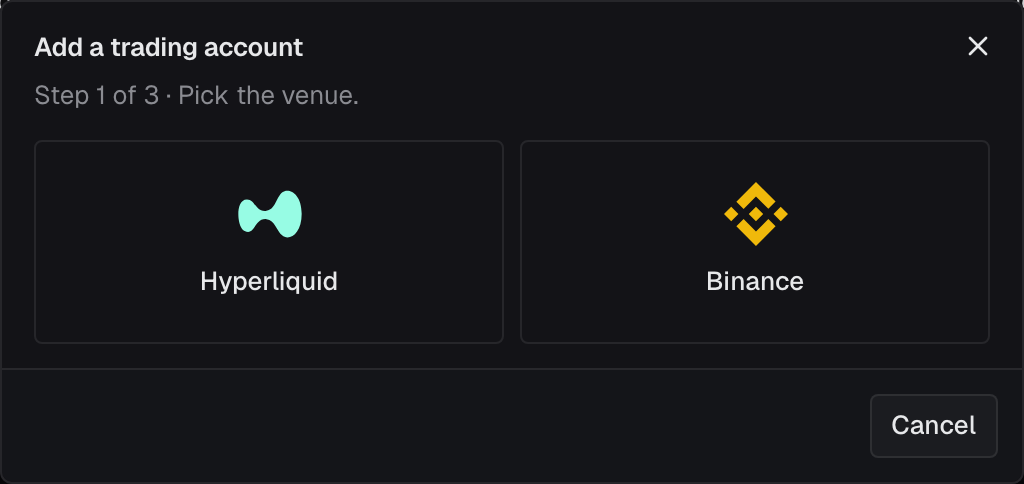
Section titled “1. Start adding a trading account”In the console, open Trading accounts and click Add trading account. Click Hyperliquid.
2. Enter the master account
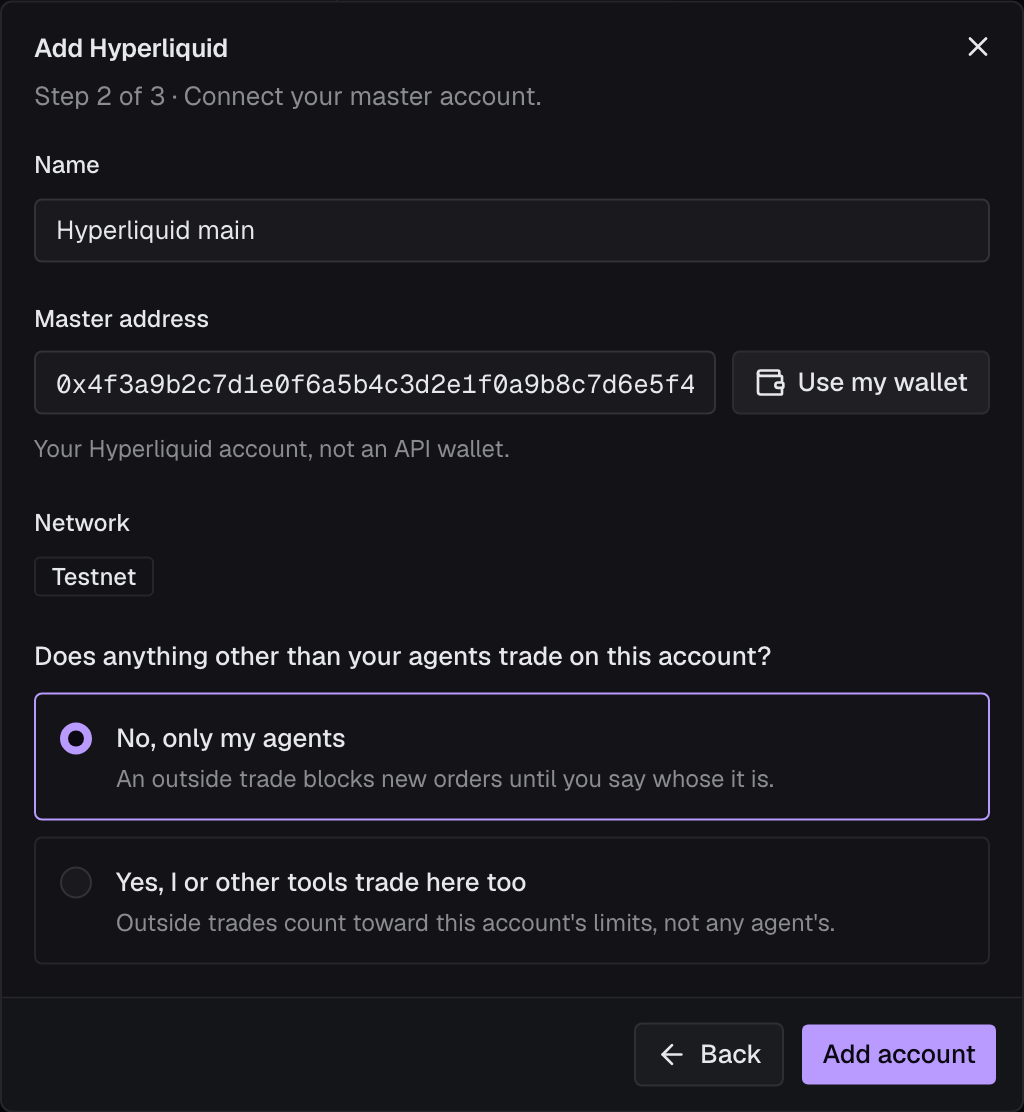
Section titled “2. Enter the master account”- Name: what you call the account everywhere in Mishmar.
- Master address: paste the address, or click Use my wallet to take the address your browser wallet is on. It is your Hyperliquid account, not an API wallet.
- Network: set by Mishmar. Testnet on the alpha.
- Does anything other than your agents trade on this account? Choose No, only my agents if Mishmar’s agents are the only thing that trades here: an outside trade then blocks new orders until you say whose it is. Choose Yes, I or other tools trade here too if you or another bot also trade on it: outside trades then count toward this account’s limits, not any agent’s. You can change the answer later on the account’s page, under Who trades here.
Click Add account. The console may ask you to confirm with your passkey or wallet first; the proof lasts ten minutes.
3. Verify it
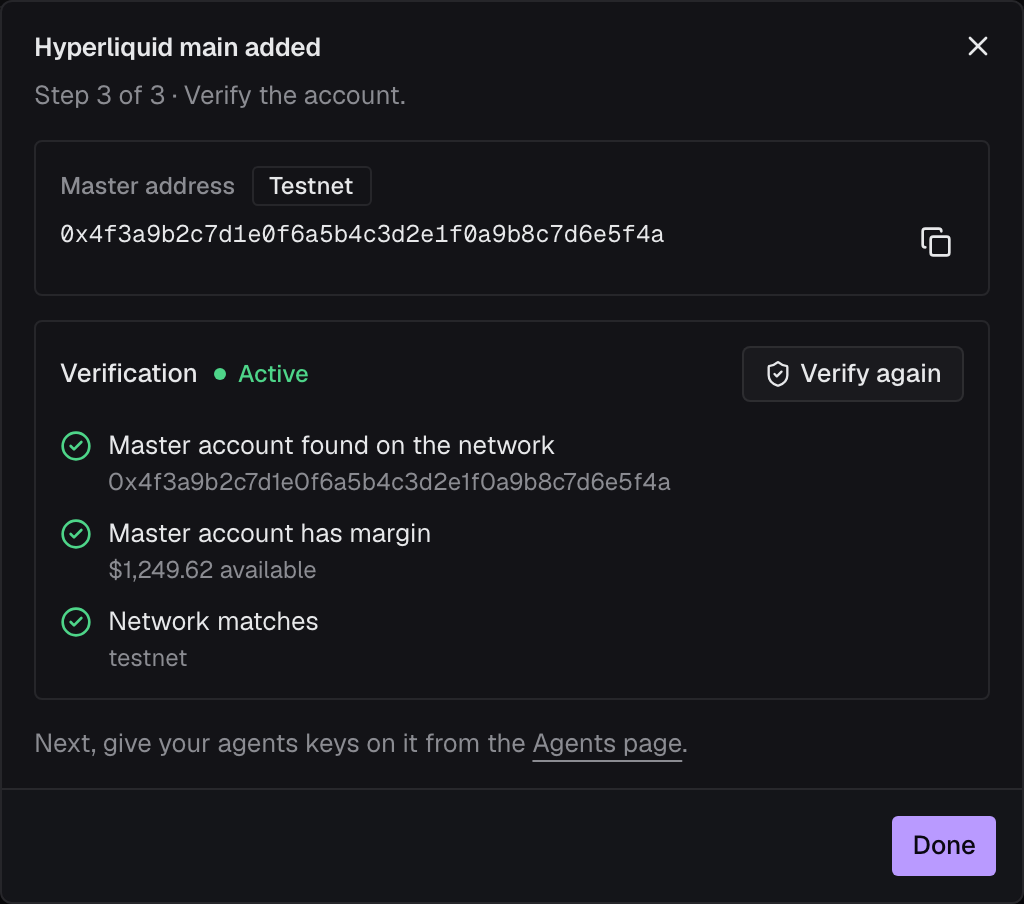
Section titled “3. Verify it”The dialog says the account was added, and shows the master address with its network. Click Verify now. Mishmar asks Hyperliquid about the master account and runs three checks:
- Master account found on the network, with the address.
- Master account has margin, with the amount available. For an account in Hyperliquid’s unified-account or portfolio-margin mode, this is the account’s USDC balance, and the mode is named after the amount.
- Network matches:
testnet.
When all three pass, the account’s status turns Active. Click Done: the trading account’s page opens.
You can also verify later: open the trading account and click Verify. Until every check passes, the account stays Pending, and an agent’s orders on it are blocked with Trading account … is not verified.
Check it worked
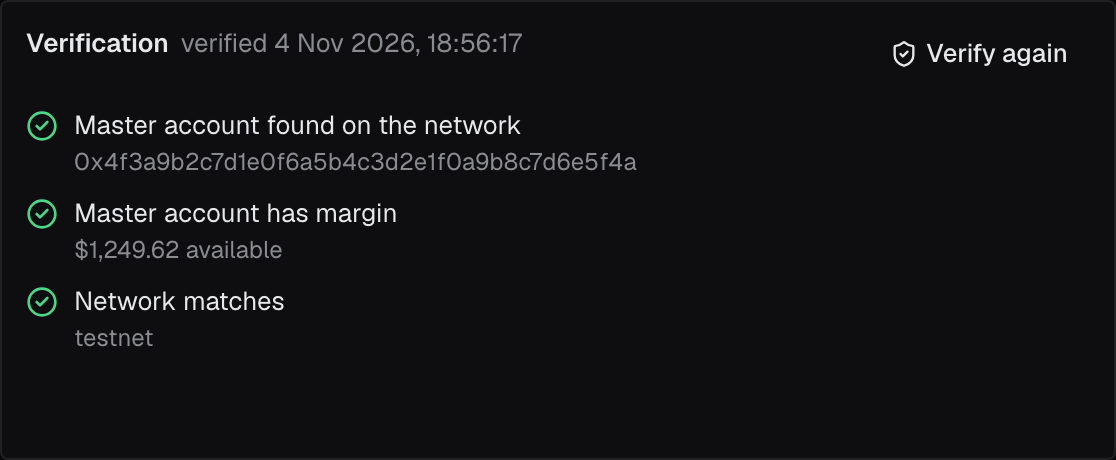
Section titled “Check it worked”- Trading accounts lists the account as Active, with Verified and the date under Verification.
- On its page, Setup shows the Master address and the Network, and Verification lists the three checks, all passed.
- Kind says Master account. Copy the account’s Id (
ta_…) from Overview: an agent proposes orders to it.
Next, add an agent on Hyperliquid.
When something goes wrong
Section titled “When something goes wrong”0x followed by 40 hex charactersunder Master address: the address is cut short or has a typo. Paste the whole address, or click Use my wallet.- Use my wallet is greyed out: the console found no browser wallet in this browser. Paste the address instead, or install Rabby or MetaMask and reload the page.
Couldn't tell which network. Reload and try again.next to Network: the console couldn’t ask Mishmar which network it trades, and Add account stays greyed out. Reload the page.This needs a passkey or a wallet. Add one under your profile, then try again.: your Mishmar login has neither. Open Profile, add a passkey or link a wallet, then click Add account again.- Master account has margin fails, with
$0 available: the account holds no USDC on this network. Deposit some on Hyperliquid testnet, then click Verify again. - The toast says
… of 3 checks still failing: the failing checks are marked in red with what Hyperliquid answered. Fix them at Hyperliquid, then click Verify again. - You entered the wrong address. A trading account’s address can’t be changed. On its page, click the bin icon (Delete trading account), then add it again. Mishmar refuses with
Agents still hold venue keys on this trading account; revoke them firstwhile an agent has a key on it: revoke those keys on each agent’s Keys tab first. The account's plan holds 1 trading account; delete one or move to a larger plan, or Add trading account is greyed out with the reason beside it: the free plan holds one trading account, on Hyperliquid and Binance together. Delete one, or move to a larger plan.