

What Mishmar keeps of your accounts
Once you connect an account (on Hyperliquid or on Binance), Mishmar reads it on its own and keeps what it reads. You see it in the console, on the account’s page, and the agents you give the account read it with their Mishmar API key. None of it needs an agent or a trading key: Mishmar reads a Hyperliquid account by its address and a Binance account with a read-only key.
What it keeps
Section titled “What it keeps”| Kind | What it is | On the account’s page |
|---|---|---|
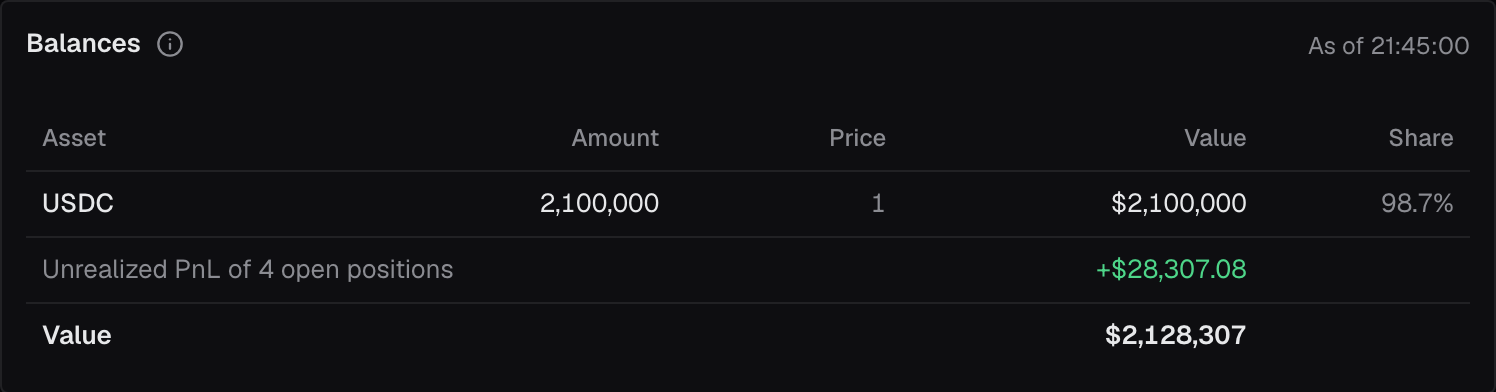
| Balances | every asset the account holds, valued in USD at the price shown | Balances |
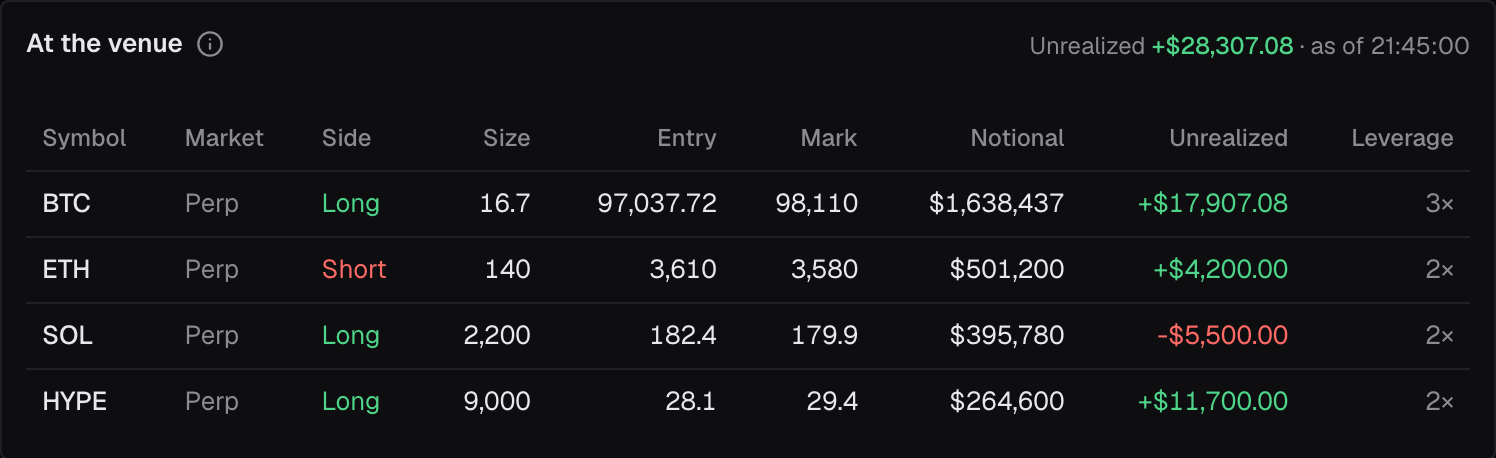
| Positions | the venue’s own net position in each market (a symbol with its market kind), whoever placed the orders behind it: size, entry, mark, notional, unrealised PnL, leverage | Positions, under At the venue |
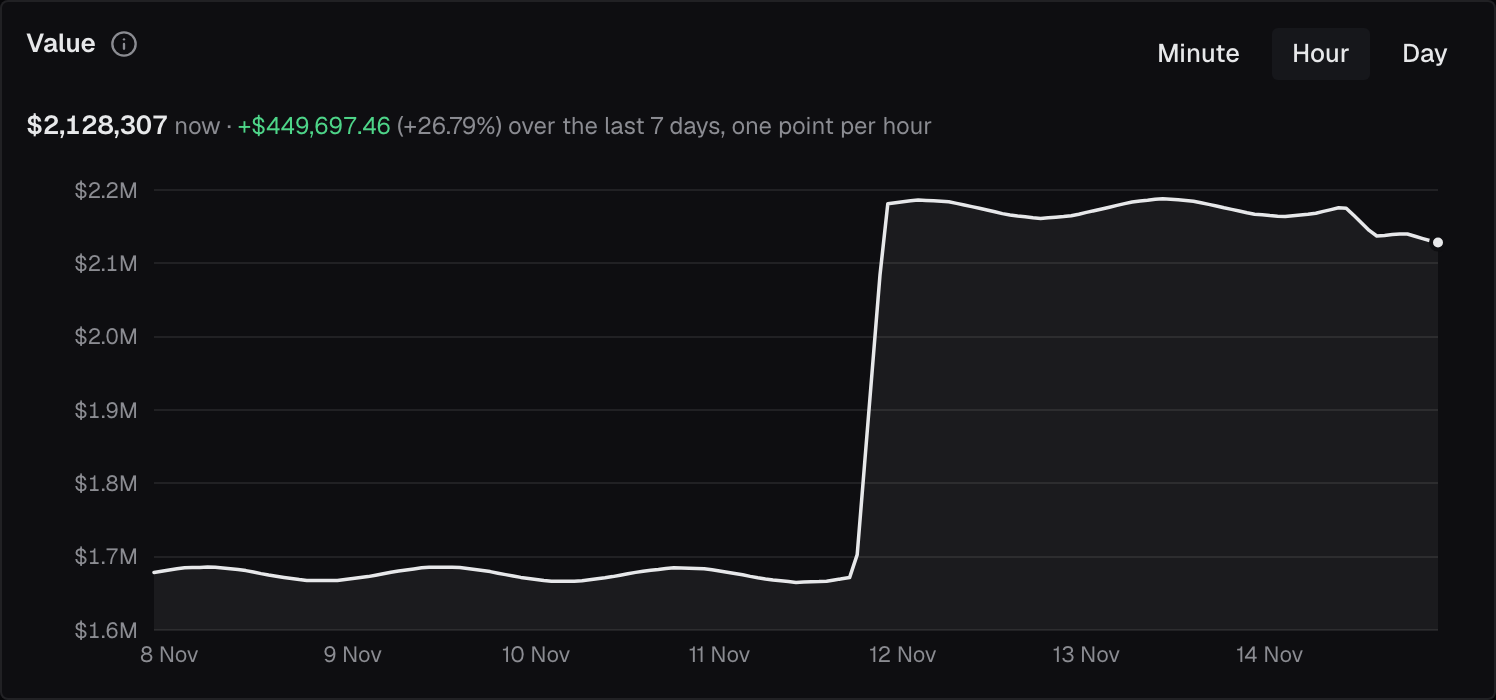
| Value | the account’s value in USD over time: its balances plus the unrealised PnL of its positions. Deposits, withdrawals and transfers to or from another account move it | Value |
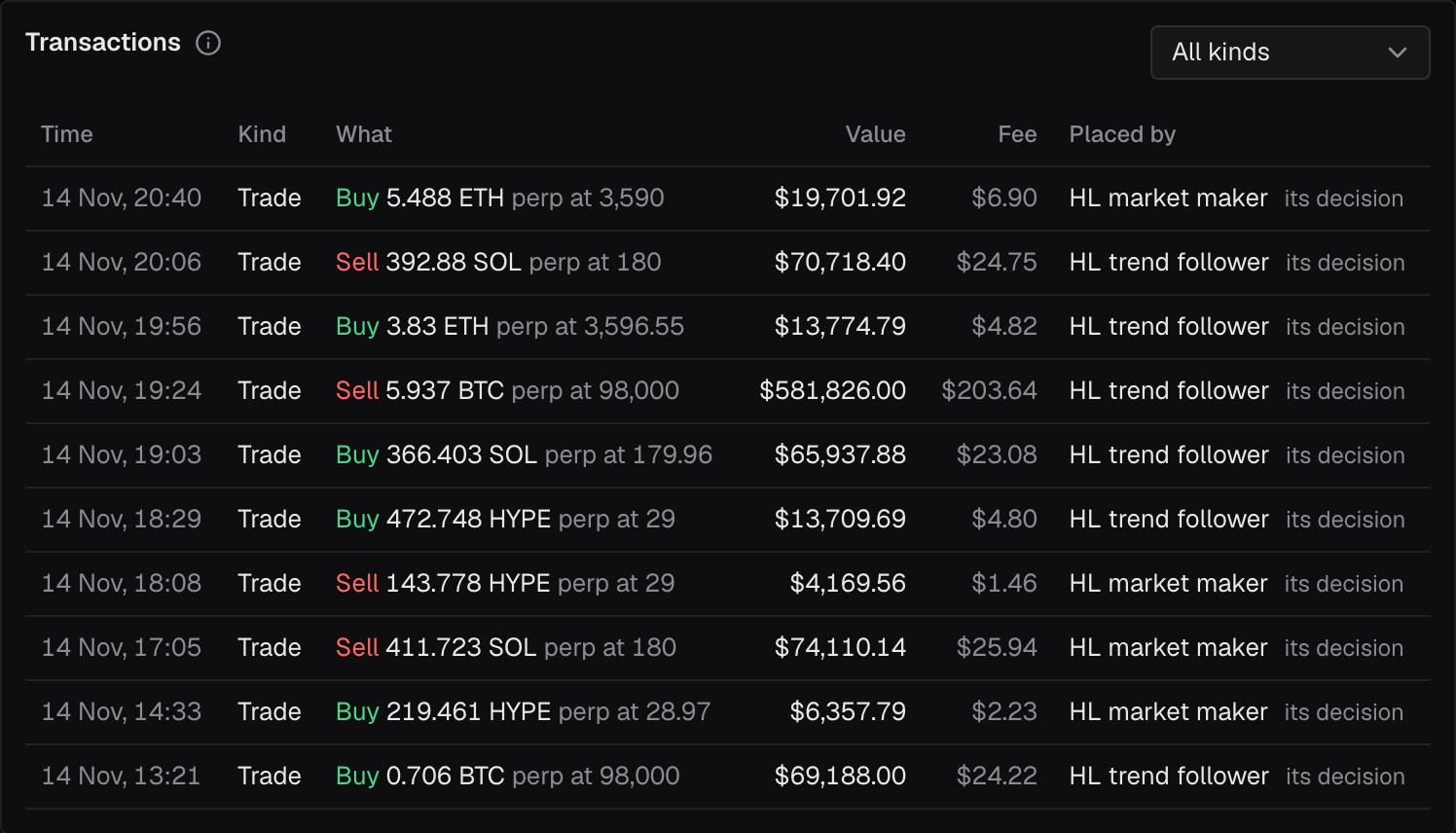
| Transactions | trades, deposits, withdrawals, transfers to and from other accounts, funding, fees, liquidations and rebates, as the venue reports them | Transactions |
An account is one pool of money at a venue, and what holds it there is its connection. Making a connection brings in each of its accounts: a Binance connection has a Spot and a USDⓈ-M Futures account, a Hyperliquid address has Perps and Spot. Every balance, position and transaction belongs to one account, and a connection’s value is the sum of its accounts’. A move between two accounts of one connection shows on both, out of one and into the other, each naming the other: it moves each account’s value by the amount and the connection’s by nothing. An asset Mishmar has no price for is listed with its amount and no value, and named, rather than counted as nothing. A sub-account at the venue is a connection of its own: a main connection’s value does not include its sub-accounts’. Agents trade on Hyperliquid Perps and Binance USDⓈ-M Futures. Hyperliquid Spot, Binance Spot and both accounts of a Hyperliquid sub-account are read like any other, but agents can’t trade on them yet, and each says why.
Each trade says who placed it: an agent through Mishmar, named, with the decision that allowed it; or Outside Mishmar, meaning you by hand, another program, or the venue itself.
The positions here are the venue’s, for the account as a whole. Each agent’s own book, built from its own fills, is on its page under Agents; that is what rules on an agent measure. Rules on the account, its connection or the whole Mishmar account see every position on the account, the ones no agent placed included (Where rules apply). The record of Mishmar’s decisions on orders is separate again, under Decisions.
How often, and how far back
Section titled “How often, and how far back”- Balances, positions and value are read every minute, and each reading is kept, so the value has a point for every minute.
- Transactions are read at most every five minutes.
- The first time, transactions go back 90 days on Hyperliquid, and a week on Binance, which answers no further back.
- Mishmar reads every account whose connection it has verified, whether or not an agent uses it, and whether trading on it is running, paused or stopped. An account stays Pending, and is not read, until its connection’s checks pass.
- On Binance it reads only while the read-only key can do nothing but read, which it checks every hour.
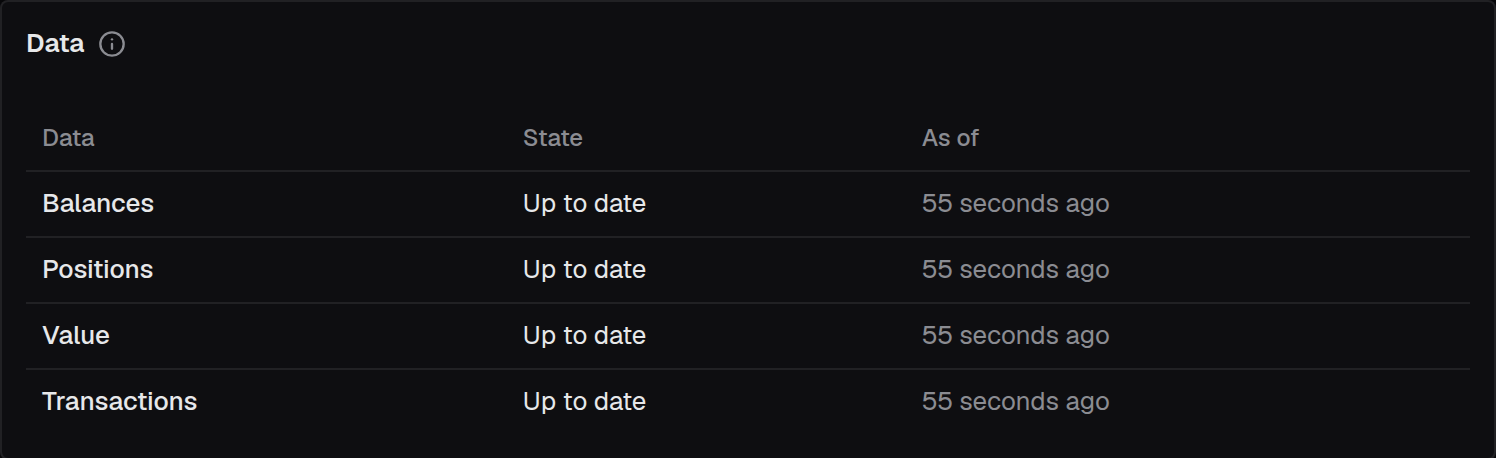
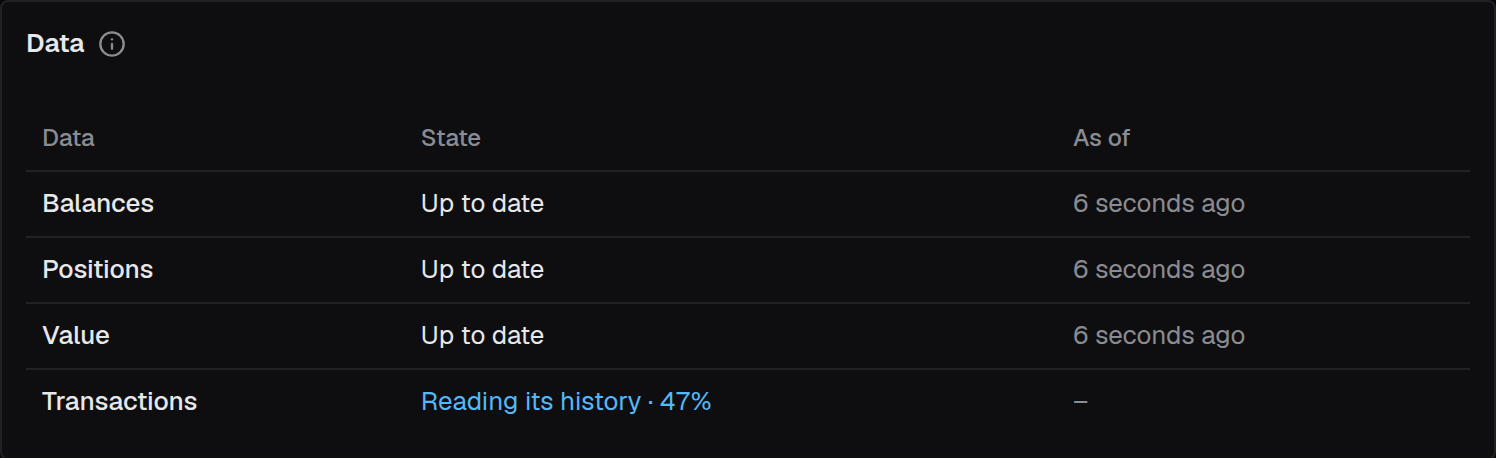
Mishmar reads a connection’s accounts together, so the connection’s page says how current each kind is, under Data on its Setup tab: Up to date, Catching up, Reading its history (with how far it has got), or Failing, with the time it is as of. While reads of a kind fail, the connection’s page and each of its accounts’ pages say so at the top, with the reason.
How long it is kept
Section titled “How long it is kept”The free plan keeps 90 days of readings and transactions.
Who can read it
Section titled “Who can read it”- People on the Mishmar account, in the console.
- The agents you give the account to. An agent reads each account it was given whole: balances, positions, value and every transaction, your own trades and other agents’ included. On an agent’s reads, each trade also says whether that agent placed it (
own). An agent reads only the accounts it was given; any other is refused withAgent … was not given this connected account.
You give an agent an account when you add it, or later on the agent’s page: under Overview, Accounts has Give access, and Remove on each row. A trade agent gets the account it trades on with its trading key, and an account can’t be taken from it while it holds a trading key there (Revoke its trading key first).
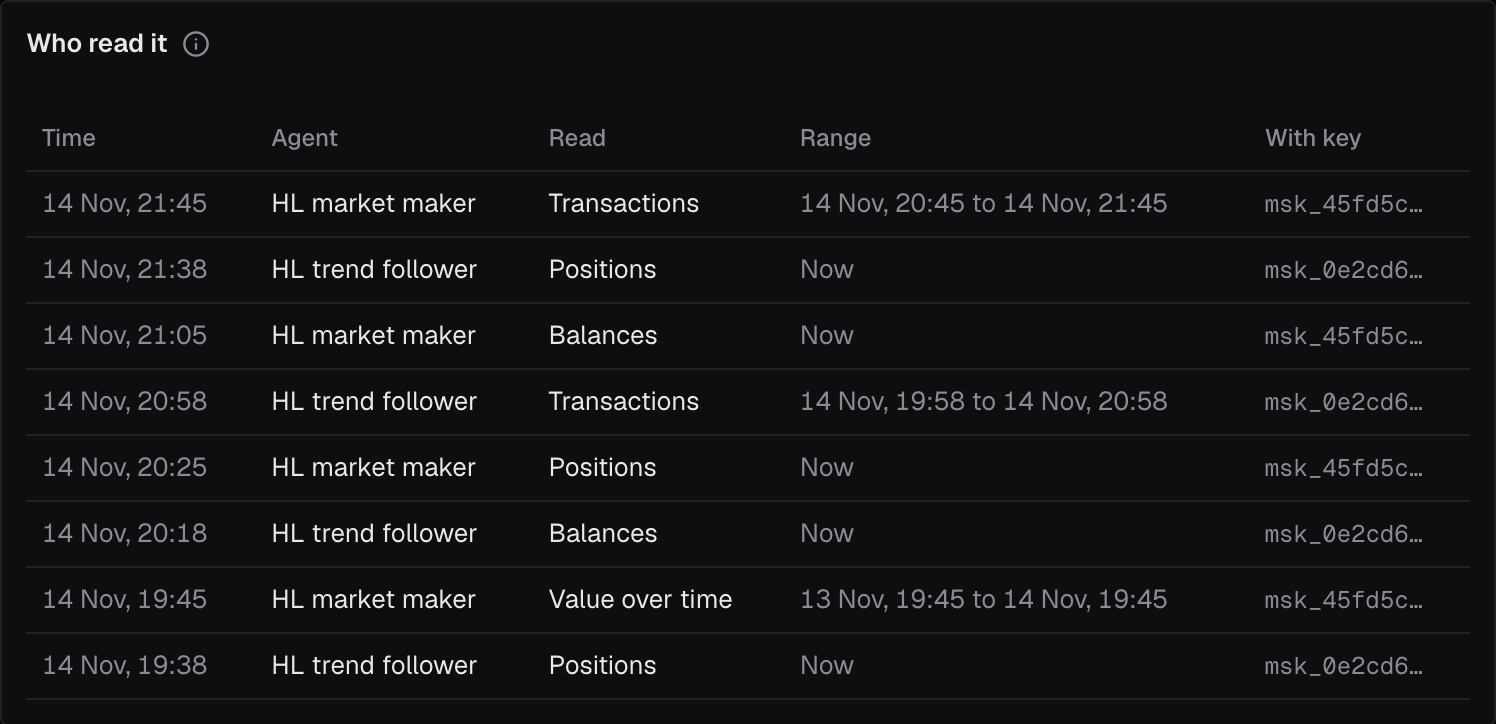
Every read an agent makes is written down before the agent gets its answer. The account’s Access tab lists who read it (Time, Agent, Read, Range, With key), and the agent’s Access tab lists what it read. What an agent has read can’t be taken back: to stop it reading, remove its access, or revoke its Mishmar API key on its Keys tab.
How an agent reads it
Section titled “How an agent reads it”An agent reads with its Mishmar API key alone: no signer and no trading key. Each read is a request signed with that key, like every agent call. There are seven:
| Read | GET |
Takes |
|---|---|---|
| Who the key belongs to: the agent, its Mishmar account and its permission | /v1/agent/me |
|
| The accounts the agent was given | /v1/agent/connected-accounts |
|
| One of them, with no secret | /v1/agent/connected-accounts/{id} |
|
| Its balances | …/{id}/balances |
at, a past moment; absent means now |
| Its positions at the venue | …/{id}/positions |
at |
| Its transactions, newest first | …/{id}/transactions |
from, to, kind, limit, cursor |
| Its value over time | …/{id}/equity |
from, to, resolution |
The Python and TypeScript SDKs, the mishmar CLI and the MCP server make these calls for you. Add a read agent has the setup and the names to use in each.
While a free Mishmar account sleeps
Section titled “While a free Mishmar account sleeps”On the free plan, a Mishmar account that has been quiet for a few hours (three, today) is stopped, as long as it holds no position and no approval waits, and it starts again on the next call that needs it, which can take up to a minute. Pro is always on.
Reading goes on while it is stopped. Mishmar keeps reading its connections’ accounts on the same timer, so nothing it shows is stale when it wakes. It answers an agent’s reads of this data straight away, without waking the Mishmar account, and those reads don’t keep it awake.
A free Mishmar account not used for 90 days is removed, with its agents, keys, rules, ledger and what Mishmar kept of its accounts, and its owner and admins are emailed 7, 2 and 1 days before. On testnet, an account with no open position and no waiting approval is reset after about three days without use: its agents, keys, connections, rules and history are deleted, and no email is sent before. Your login and account stay, so you can sign in and set it up again. An agent reading its accounts counts as use: a Mishmar account whose agents still read them is not removed.